SCM / MANUFACTURER VIDEO
Simulation with Maestro pro view
SCM displays a program simulation with the Maestro pro view add-on. The availability and content of the simulation depend on the software and hardware configuration.
Open on YouTube ↗
SCM / NESTING CNC FOR WOOD
Nesting CNC links the layout of furniture parts on the panel with their machining. Using a cabinet as an example, you can see the software preparation and the operator’s work in custom furniture production.
Click through the process Official website ↗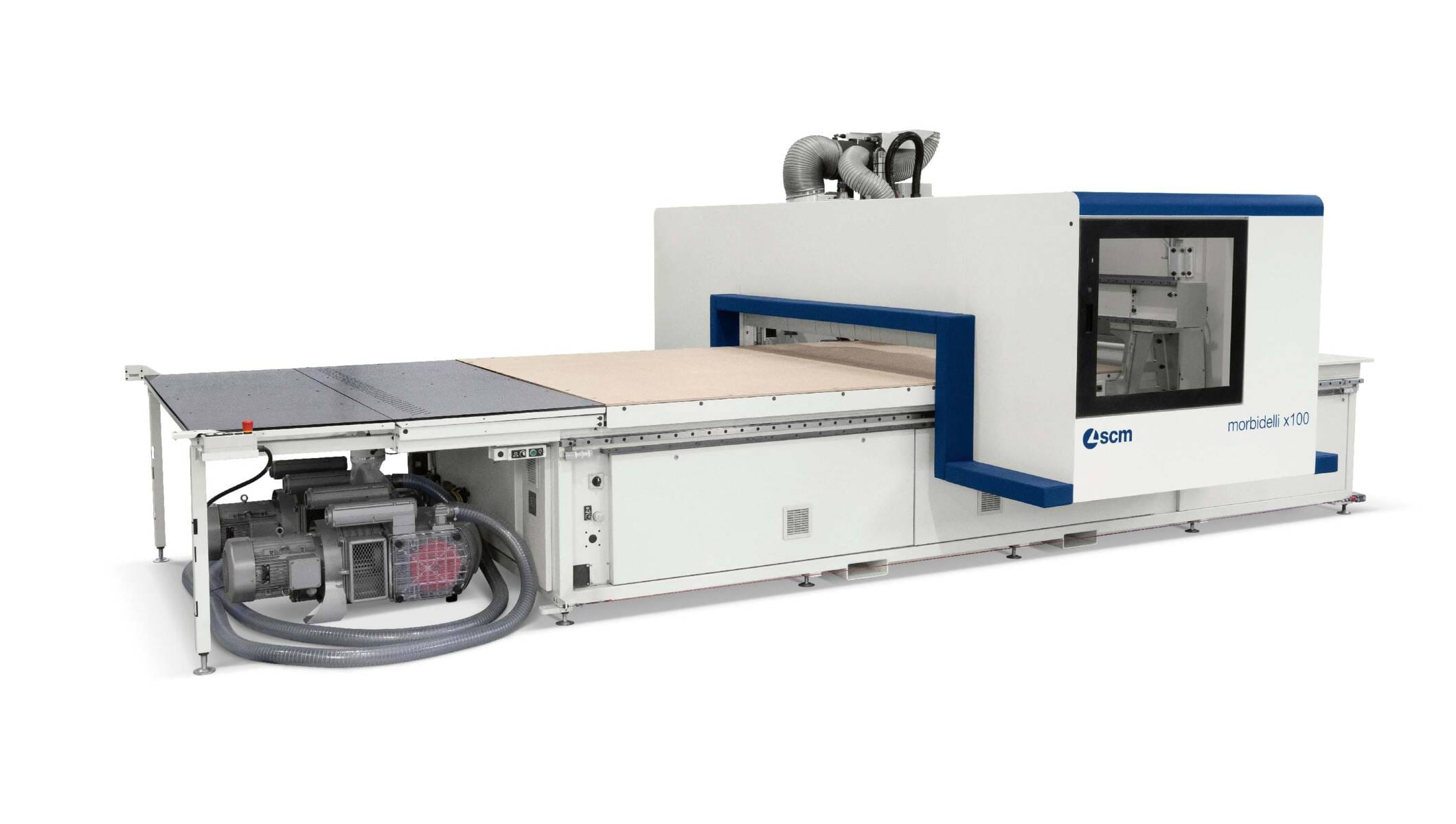
SEE IT IN PRACTICE
Original SCM software display.
SCM / MANUFACTURER VIDEO
SCM displays a program simulation with the Maestro pro view add-on. The availability and content of the simulation depend on the software and hardware configuration.
Open on YouTube ↗The visual overview helps you understand the program flow before execution. Machining preparation still includes the correct tools, clamping and checking the settings.
The recordings show individual machines or software add-ons. We will check the correct configuration for your product. YouTube loads only after your confirmation when viewing.
01 / FROM DRAWING TO MACHINED PARTS
Follow the same five elements: from the product to the layout on the panel and CNC machining. Then see what changes with a wider cabinet.
01 / PRODUCT
For the example, we take an open cabinet with one shelf. From the drawing we obtain five parts, their dimensions, material and required machining operations. This tells the program which pieces we are preparing.
Selects the dimensions, material, panel thickness and joint construction.
A list of parts with geometry and machining operations. We will check whether transfer from your design software is suitable.
Result: a prepared list of five parts.
02 / SOFTWARE PREPARATION
Nesting means arranging parts on the raw panel. CAD/CAM preparation connects geometry with machining, and the nesting module helps prepare the layout and CNC program.
The layout of parts and the milling and drilling paths for the appropriately equipped machine.
Material, grain direction, clearances, tools and clamping. Before execution, they check the result of the software preparation.
Result: a verified CNC program for the selected board.
03 / WORK ON THE MACHINE
The operator selects a prepared program and sets up the machine. The CNC then cuts the elements according to that program and carries out the planned machining operations enabled by its configuration.
The board, tools and vacuum clamping are checked according to the prescribed procedure, and the process is monitored.
After the approved program, it machines the marked parts. Once it is safely finished, the operator takes over and inspects the elements.
Result: machined elements for the next operations, not an assembled cabinet.
04 / NEXT ORDER
The customer wants a width of 800 instead of 600 mm. In this case the side panels A1 and A2 remain the same, while the top and bottom panels and the shelf are extended. Therefore the layout on the board also changes.
Saved data and procedures are the starting point. We update the dimensions in the design or CAD/CAM program, depending on the solution used.
The geometry and joints, layout, machining operations and machine conditions. The changed product needs an appropriate new CNC program.
Result: a new, verified preparation without repeating every step from the beginning.
A simplified example without doors, back panel or fittings. Dimensions are illustrative, sketches are not to scale. Depending on the product, after CNC machining there follow edge banding, other necessary operations and assembly. We define software modules, data transfer and machine compatibility for the specific configuration.
More about SCM Maestro software preparation ↗Official website ↗With the machine shown, it is easier to connect the individual stages: material preparation, program execution and taking over the machined elements. For the specific product, we also check the machining operations, tools and clamping.
02 / WORK ORGANISATION
Product, geometry, tools and program. The level of complexity depends on your products.
Material preparation, safe working and execution of the prepared program.
With the right configuration, additional solutions allow monitoring of operation and maintenance tasks.
03 / SELECTED EQUIPMENT
The families morbidelli x100 and x200 are the starting point for discussing nesting. The execution is determined by the element sizes, machining operations, loading organisation and order volume.
For the first discussion, a product example, material and approximate quantities are enough.
Discussion about nestingQUESTIONS FROM THE WORKSHOP
MORE ABOUT THE TECHNOLOGY
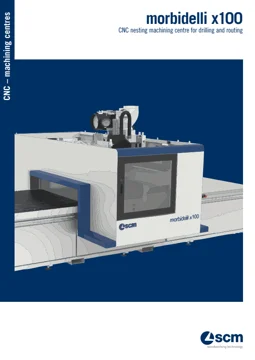
morbidelli x100 is a CNC nesting centre: we arrange the elements on the board, then carry out the planned milling and drilling. The choice of work table, vacuum clamping and handling of boards is linked to the element sizes and the volume of work.
| Data | Available versions / maximum value |
|---|---|
| Working area X × Y | 2.556 × 1.296; 3.756 × 1.596; 3.756 × 1.896; 3.156 × 2.216 or 4.356 × 2.216 mm |
| Board passage along the Z axis | 150 mm |
| Milling spindle power, 3-/4-axis version | up to 15 kW |
| Spindle speed | up to 24,000 rpm |
| Tool changer | up to 31 positions |
| Vector speed X–Y, PRO-SPACE version | 70 m/min |
Values marked “up to” indicate available equipment, not the standard equipment of every machine. Z-axis travel is not the automatically permitted thickness for all operations, and axis feed speed is not the same as the cutting speed for your product.
Reusable preparation makes it easier to change dimensions on a related product. Tools, clamping, material and the program result still need to be checked.
Manufacturer documentation: SCM · morbidelli x100 ↗.
MANUFACTURER VIDEO
SCM / NESTING CELL
SCM shows the automated cell version. The equipment shown is an example configuration, adapted to the space and organisation of production.
Open on YouTube ↗SCM / SOFTWARE
A short dedicated demonstration of a specific step in software preparation of the layout.
Open on YouTube ↗Original manufacturer footage. The YouTube player is loaded only after your confirmation when viewing.
NEXT STEP
Together we define the right equipment and software preparation.